> ## Documentation Index
> Fetch the complete documentation index at: https://help.uninote.ai/llms.txt
> Use this file to discover all available pages before exploring further.

# How can I change my account name?

<Tip>
  You can change your name at any time from the account settings. Changes are reflected immediately.
</Tip>

## A. You can change it anytime from the account settings.

### Steps

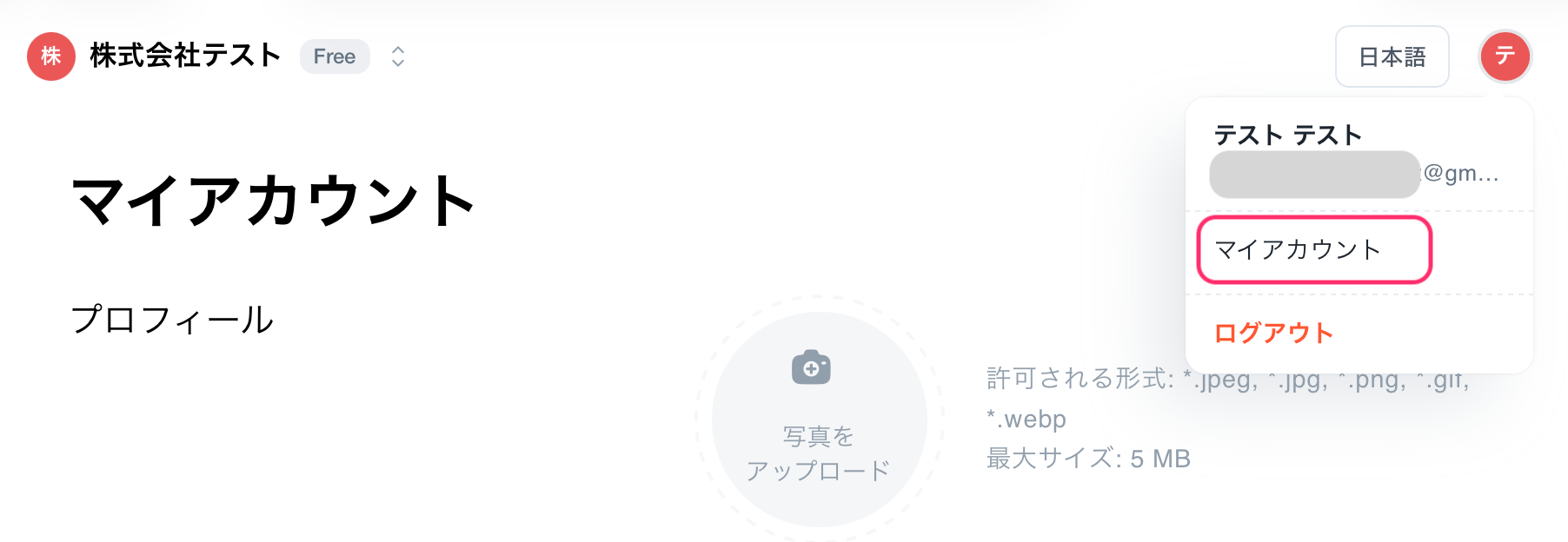
1. Click on the account icon in the upper right corner of the screen.
2. Open \[My Account].\\
   <Frame>
     <img src="https://mintcdn.com/uninote/xGR0dTTK9-GoEWOW/images/%E3%82%B9%E3%82%AF%E3%83%AA%E3%83%BC%E3%83%B3%E3%82%B7%E3%83%A7%E3%83%83%E3%83%88-2026-02-28-22.09.20.png?fit=max&auto=format&n=xGR0dTTK9-GoEWOW&q=85&s=e62a22d5e395d119f00ce36326287f1c" alt="Screenshot 2026 02 28 22 09 20" width="1804" height="624" data-path="images/スクリーンショット-2026-02-28-22.09.20.png" />
   </Frame>
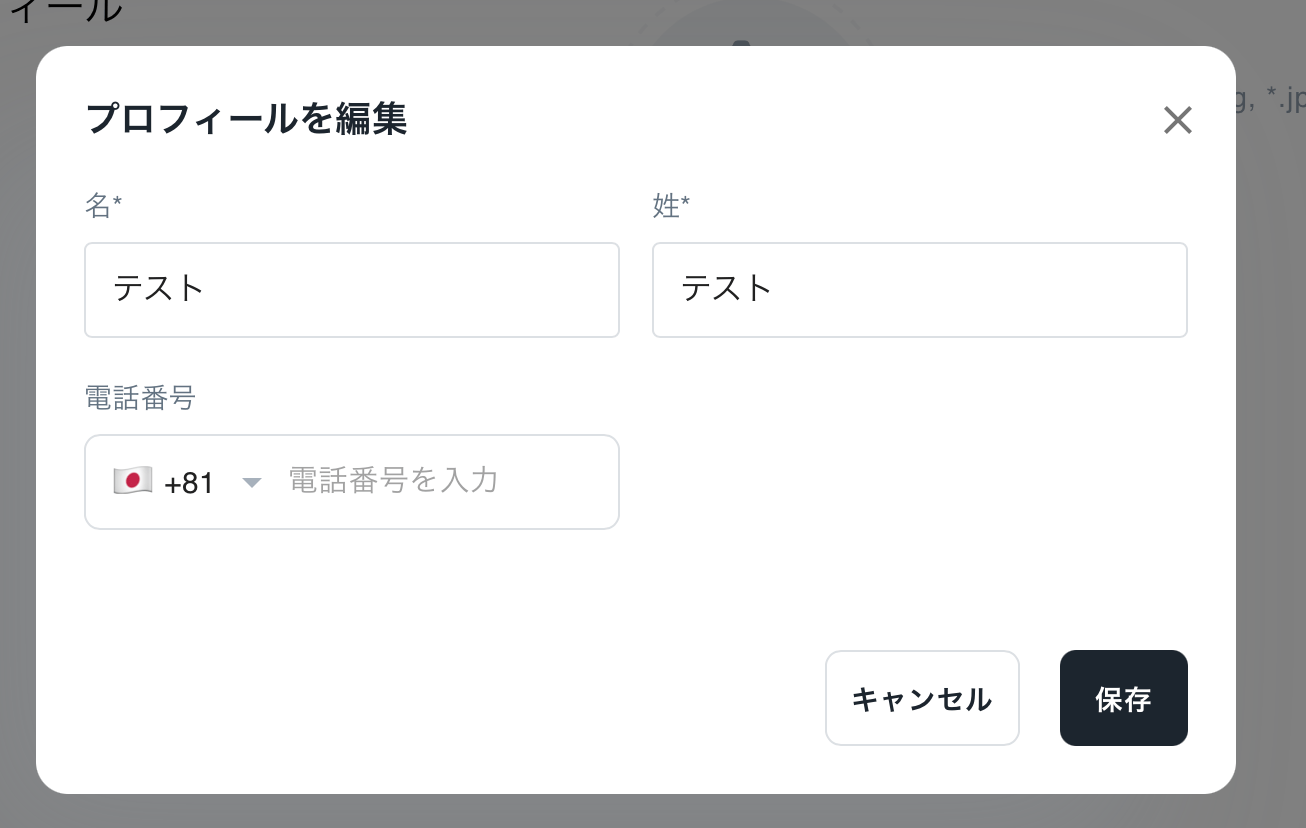
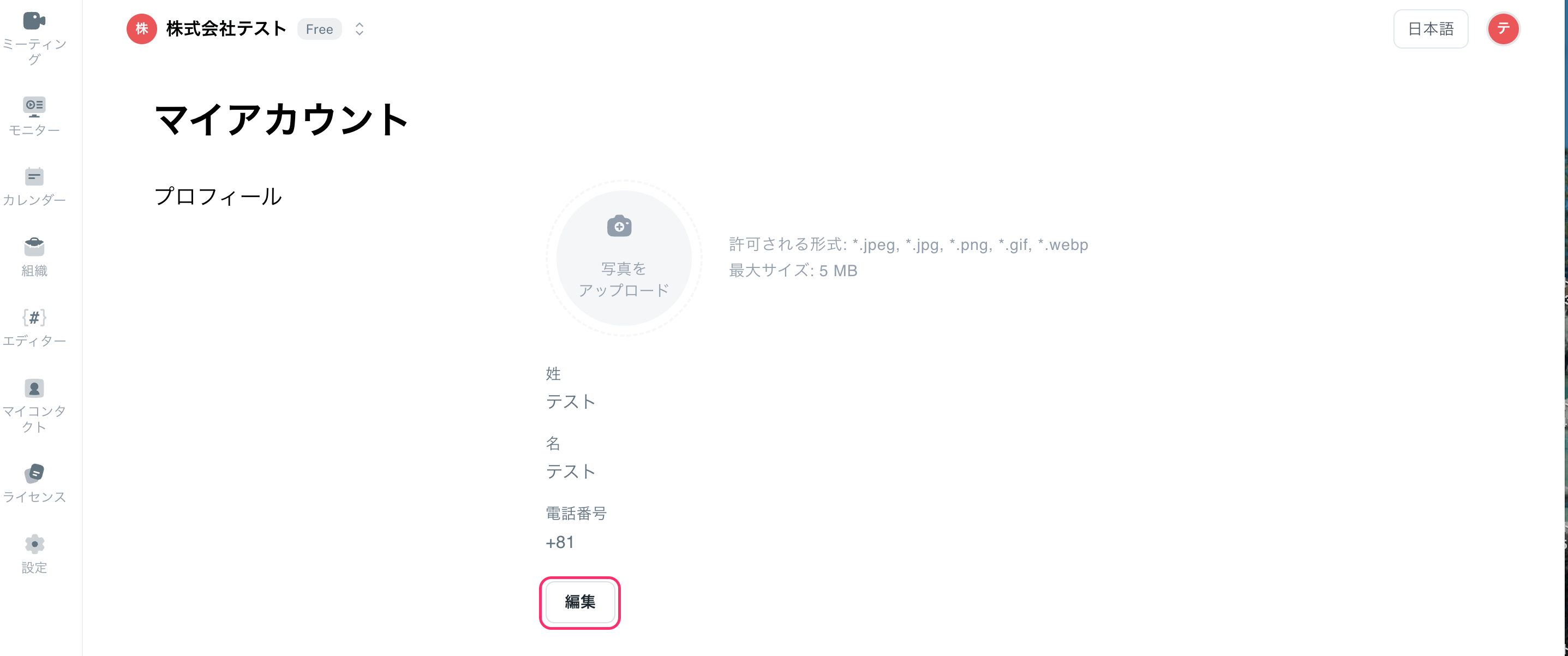
3. Click \[Edit], then press the \[Save] button to save your changes.
   <Frame>
     <img src="https://mintcdn.com/uninote/xGR0dTTK9-GoEWOW/images/%E3%82%B9%E3%82%AF%E3%83%AA%E3%83%BC%E3%83%B3%E3%82%B7%E3%83%A7%E3%83%83%E3%83%88-2026-06-05-17.25.50.png?fit=max&auto=format&n=xGR0dTTK9-GoEWOW&q=85&s=662c785436010da85069ced28e5d410a" alt="Screenshot 2026 06 05 17 25 50" width="2874" height="1202" data-path="images/スクリーンショット-2026-06-05-17.25.50.png" />
   </Frame>
   <Frame>
     <img src="https://mintcdn.com/uninote/xGR0dTTK9-GoEWOW/images/%E3%82%B9%E3%82%AF%E3%83%AA%E3%83%BC%E3%83%B3%E3%82%B7%E3%83%A7%E3%83%83%E3%83%88-2026-03-01-11.41.45.png?fit=max&auto=format&n=xGR0dTTK9-GoEWOW&q=85&s=725ba4382d3ae3e52dc1cd4a1104b8bb" alt="Screenshot 2026 03 01 11 41 45" width="1306" height="828" data-path="images/スクリーンショット-2026-03-01-11.41.45.png" />
   </Frame>

<Note>
  You can change your name at any time from the account settings. Changes are reflected immediately.
</Note>