> ## Documentation Index
> Fetch the complete documentation index at: https://help.uninote.ai/llms.txt
> Use this file to discover all available pages before exploring further.
# Creating a Folder (Meeting Storage)
Folders serve as a "storage" for organizing meetings. By storing meetings in a folder, sharing and management become easier.
* Folder members can be set as "default shared users."
***
### Things to Decide in Advance
* How to categorize folders (by department, project, client, etc.)
* Folder members (default shared users)
***
### Steps: Creating a Folder
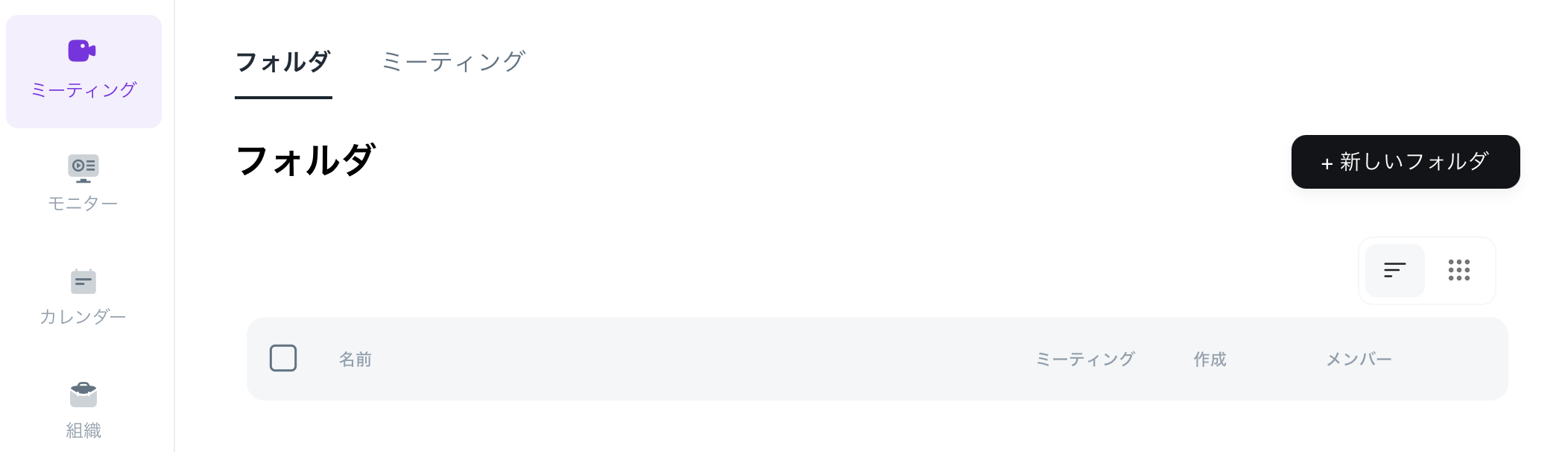
1. Open the \[Meetings] screen.
2. Click on \[+New Folder].\\
 3. Enter the folder name.\\
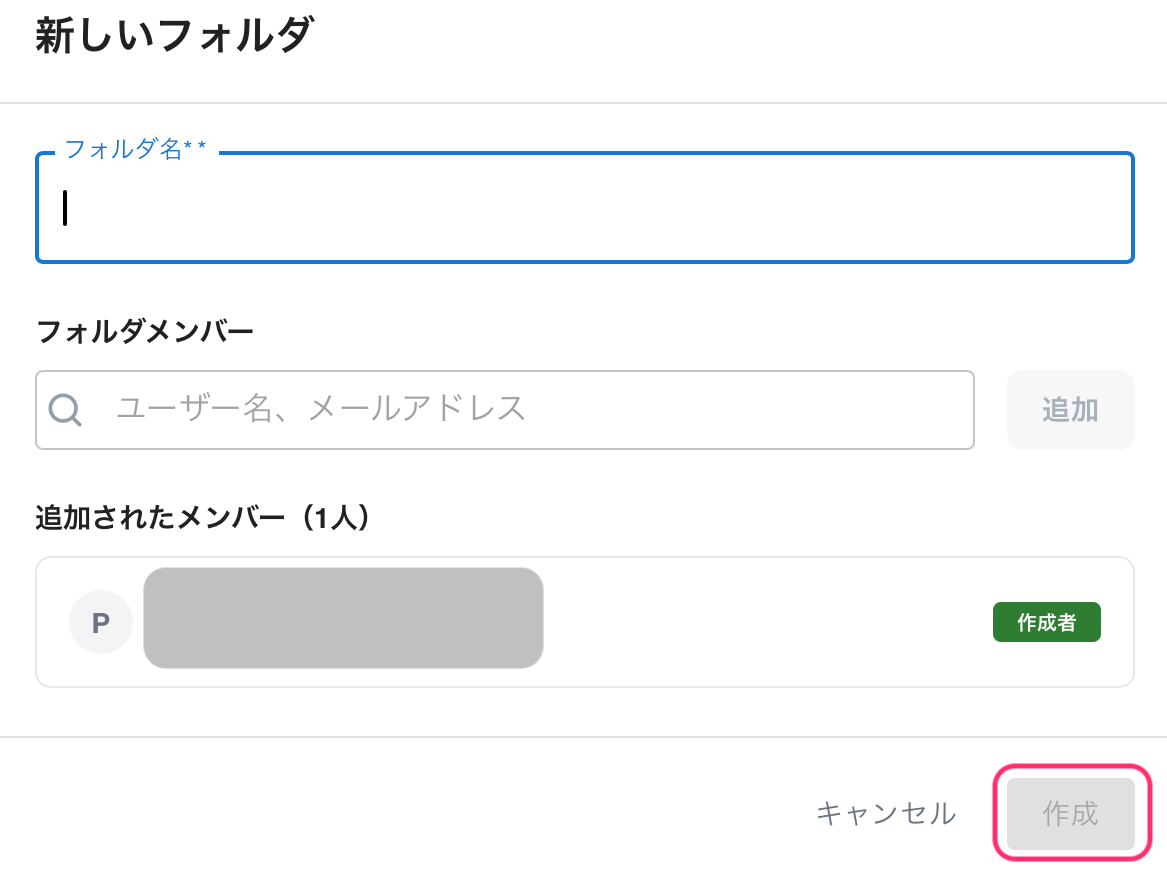 4. If necessary, set the folder members (default shared users).
5. Click \[Create] to finish.
***
### Examples of Folder Structure
* Example 1: By Client
* Examples:
* Company A (PoC)
* Company B (PoC)
* Company C (PoC)
* Benefits: Clearly identifies whose meetings they are, preventing confusion.
* Example 2: By Project (when spanning multiple initiatives or projects)
* Examples:
* CS Improvement Project
* New Feature Validation (PoC)
* Onboarding Implementation
* Example 3: By Department (when the user department is clear)
* Examples:
* Sales
* CS
* Development
***
### Terminology Supplement
* **Folder Members**: Members who are "default shared" within the folder.
* **Participants**: Participant information obtained from the calendar. It does not imply viewing rights.
***
### Related Pages
* [Edit or Delete a Folder](/en/forudawosuru)
4. If necessary, set the folder members (default shared users).
5. Click \[Create] to finish.
***
### Examples of Folder Structure
* Example 1: By Client
* Examples:
* Company A (PoC)
* Company B (PoC)
* Company C (PoC)
* Benefits: Clearly identifies whose meetings they are, preventing confusion.
* Example 2: By Project (when spanning multiple initiatives or projects)
* Examples:
* CS Improvement Project
* New Feature Validation (PoC)
* Onboarding Implementation
* Example 3: By Department (when the user department is clear)
* Examples:
* Sales
* CS
* Development
***
### Terminology Supplement
* **Folder Members**: Members who are "default shared" within the folder.
* **Participants**: Participant information obtained from the calendar. It does not imply viewing rights.
***
### Related Pages
* [Edit or Delete a Folder](/en/forudawosuru)