

A. You can change it anytime from the account settings.
Steps
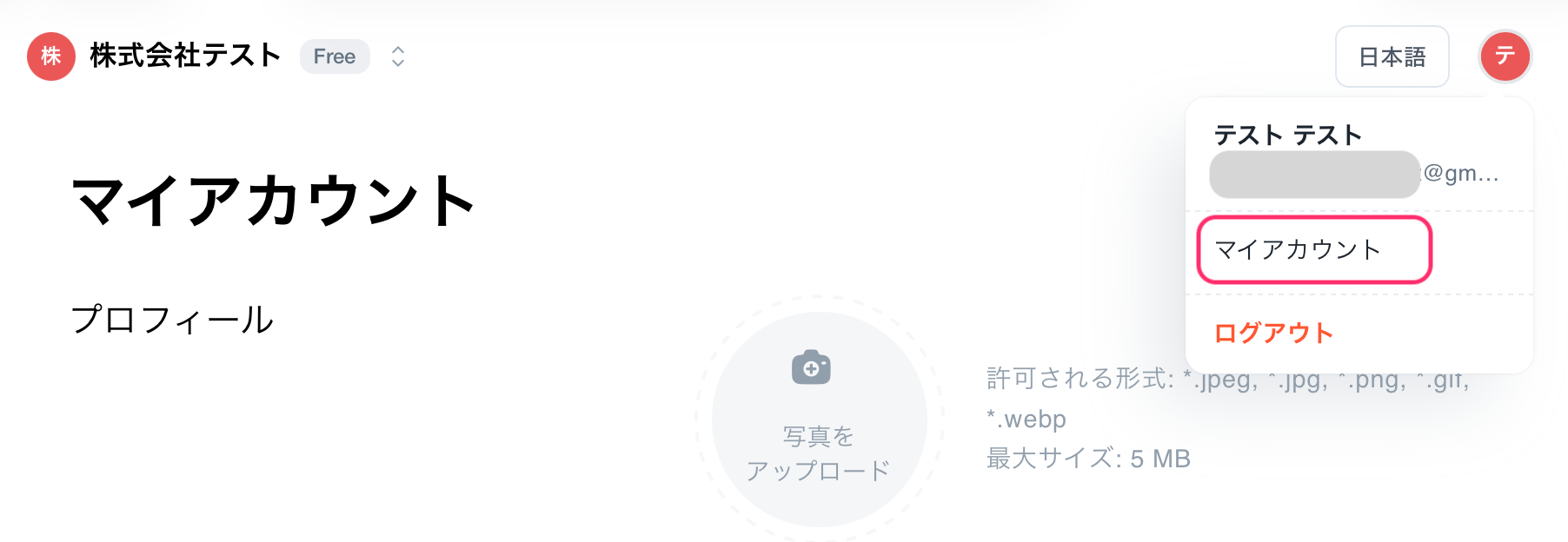
- Click on the account icon in the upper right corner of the screen.
- Open [My Account].\
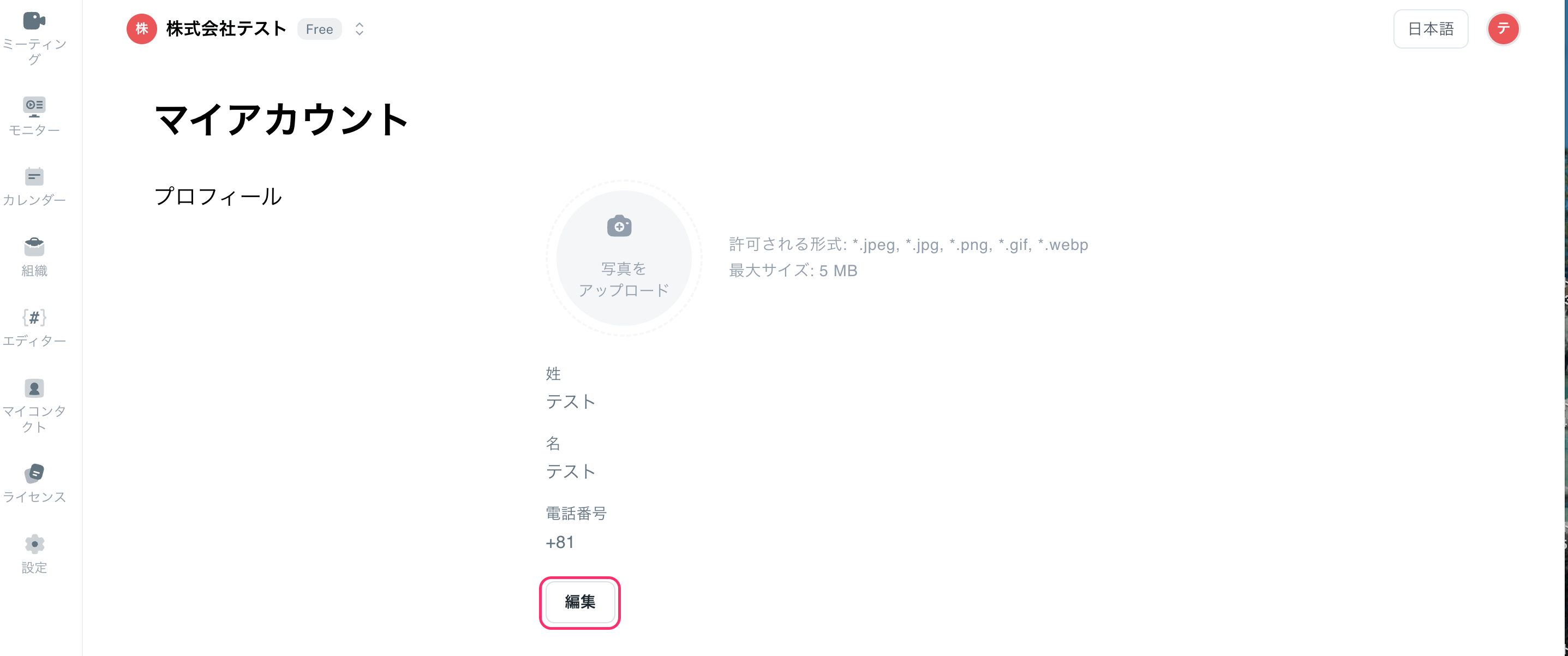
- Click [Edit], then press the [Save] button to save your changes.
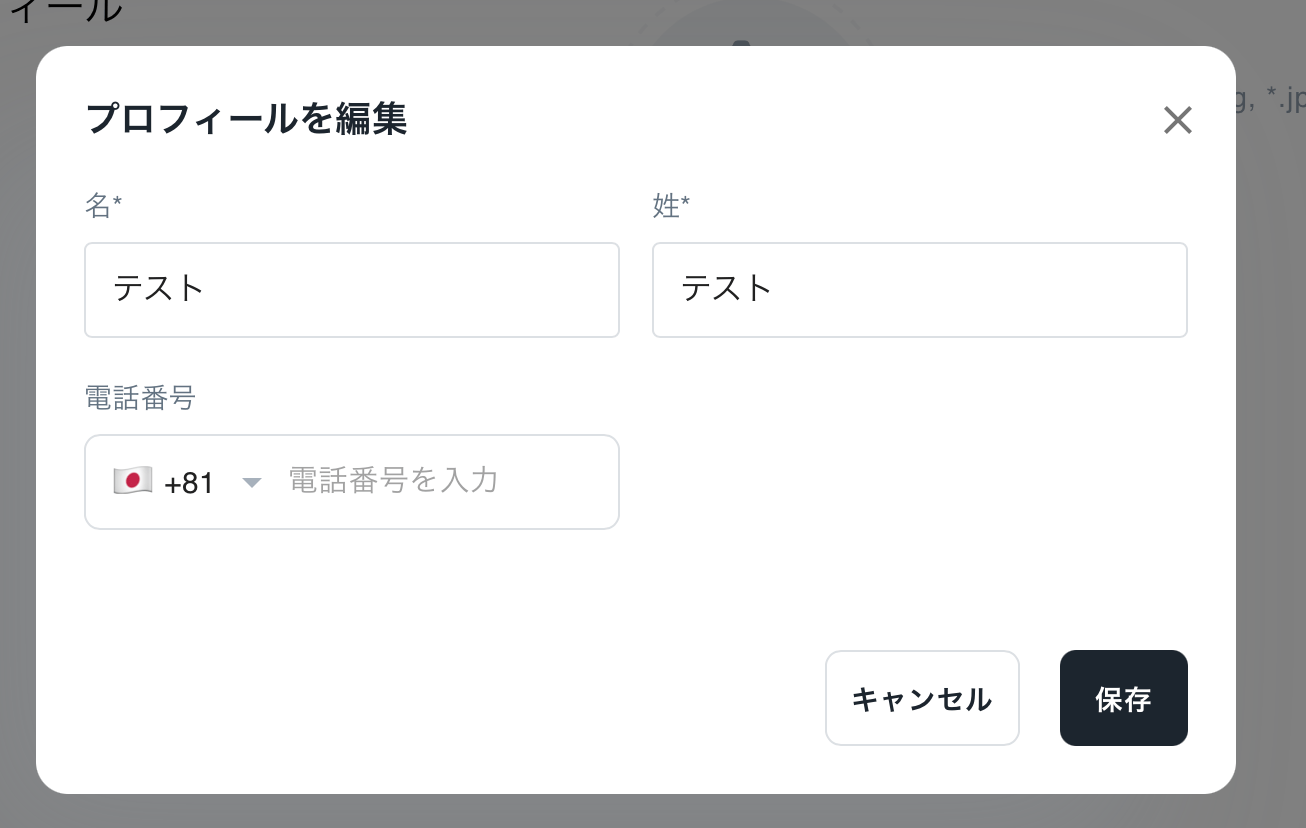
You can change your name at any time from the account settings. Changes are reflected immediately.