

By syncing your calendar with Uninote, you can import schedules and utilize related features.
Common: Open the Connection Screen
- Open the [Calendar] screen.
- Select [Connect].\

- Sync Google Calendar
- Click [Connect] for Google Calendar.
- Log in with your Google account.
- When the access permission confirmation screen appears, grant the permissions.
- Sync Microsoft 365 Calendar
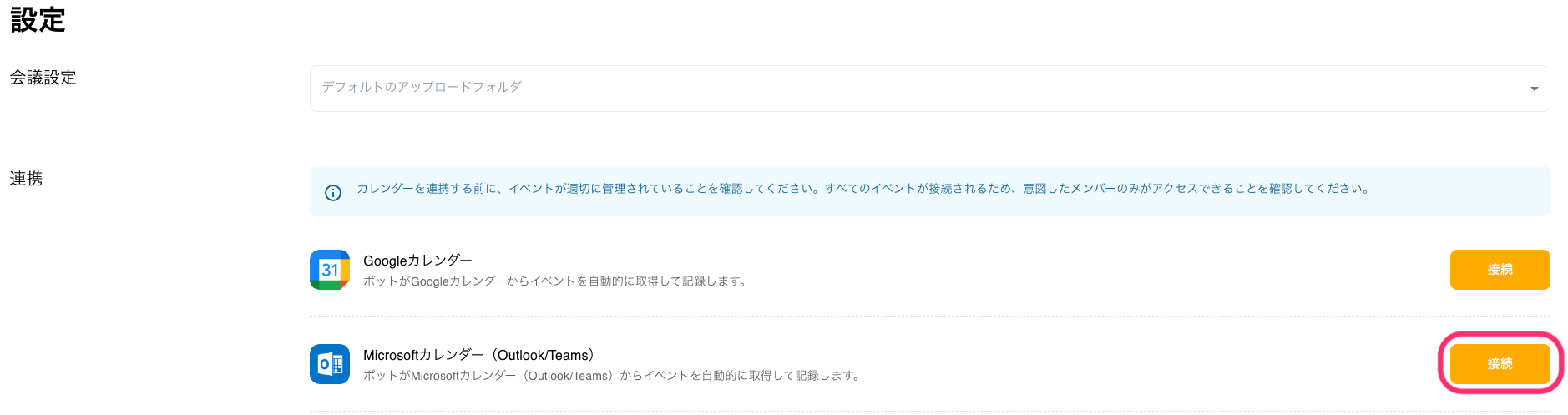
- Click [Connect] for Microsoft Calendar.\
- Log in with your Microsoft account.
- If organizational approval is required, please request permission from your administrator.
- Click [Connect] for Microsoft Calendar.\
Adding Meetings Without Calendar Sync
Even if you do not use calendar integration, you can manually register from [+New Meeting].
- Open the [Meeting] screen.
- Click [+New Meeting].\
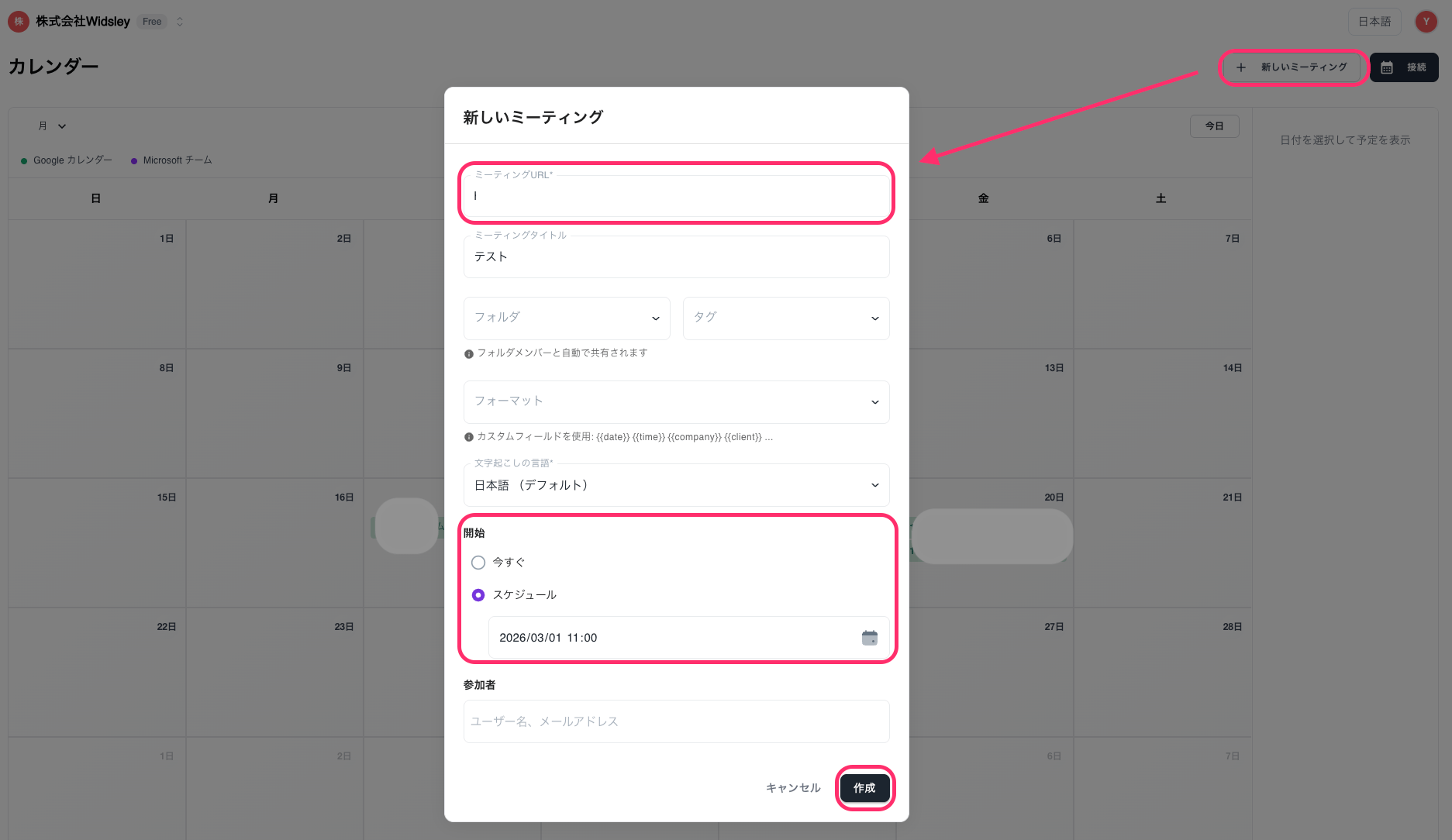
- Enter the meeting information.
- Meeting URL
- Title
- Save folder, tags
- Date and time
- Participants
- Click [Create] to complete.