

There are three methods to add (invite) users.
- Email invitation (for small groups)
- CSV bulk (to add multiple users at once)
- Invitation link (to distribute a participation link)
Pre-check
- Choose an invitation method (Email invitation / CSV bulk / Invitation link)
Common: Open the Invitation Screen
- Open the [Users] screen.
- Select [Add User].\
- Invite via Email
- Select [Send] and enter the email address of the invitee.
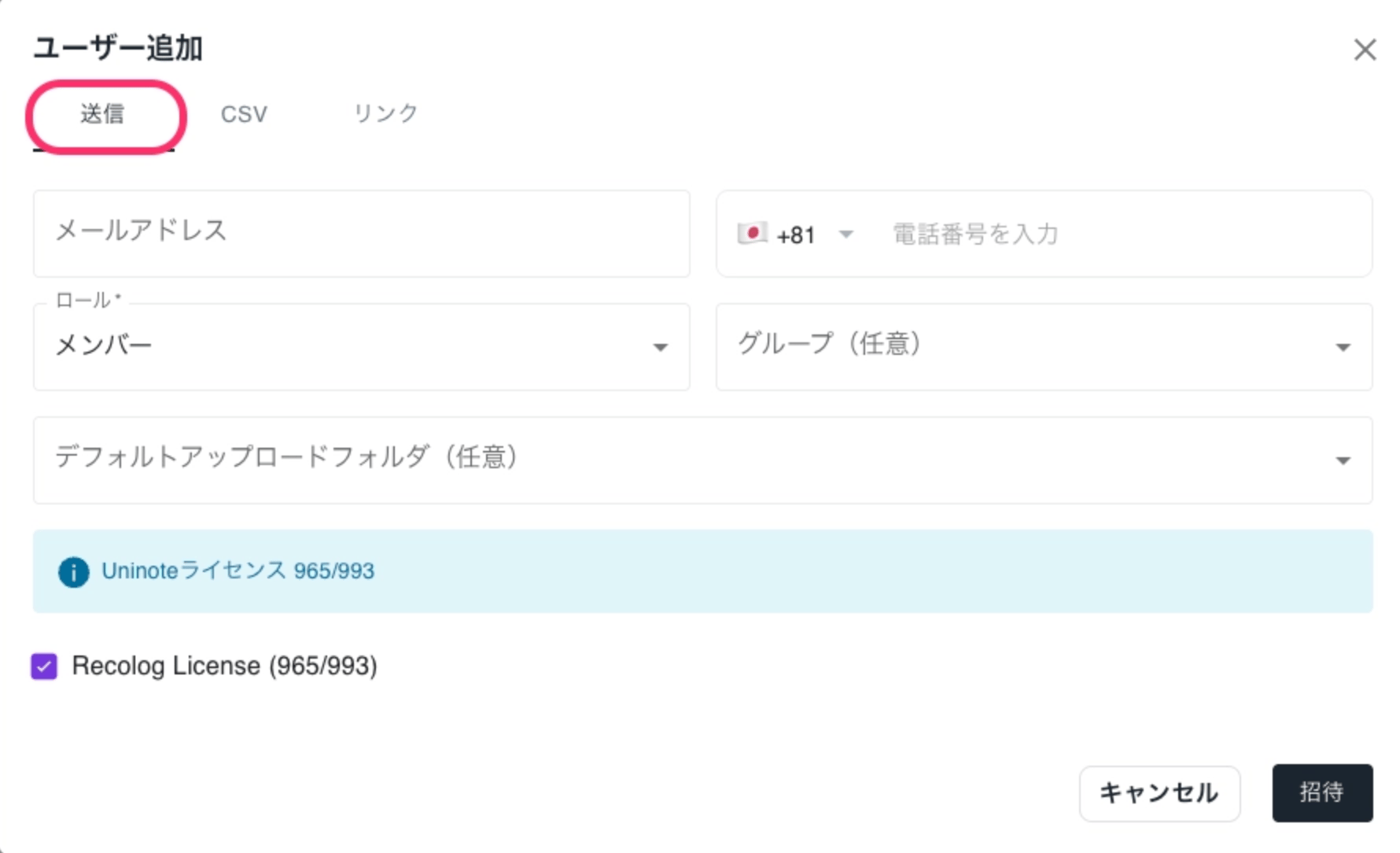
- Set roles if necessary.
- Click [Invite] to complete.
📧 An invitation email will be sent to the target user. If not received, please check the spam folder.
Subject:
Invitation to join {Organization Name}Sender:noreply@mail.uninote.ai
- Select [Send] and enter the email address of the invitee.
- Invite via CSV
- Select [CSV].
- Obtain the template from [Download CSV Template] and create your file.
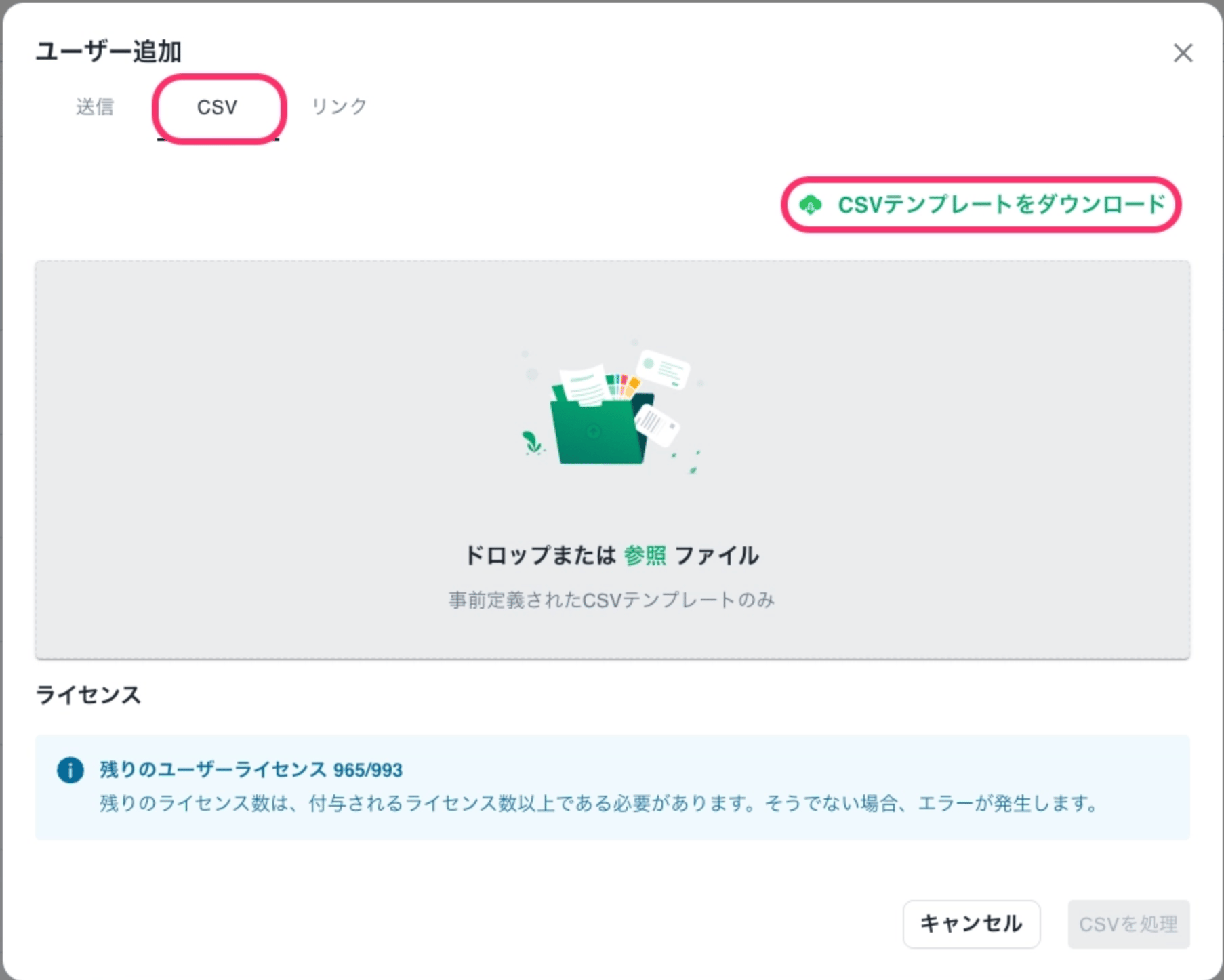
- Upload the CSV.
- Click [Process CSV] to complete.
- Add via Invitation Link
- Select [Link].
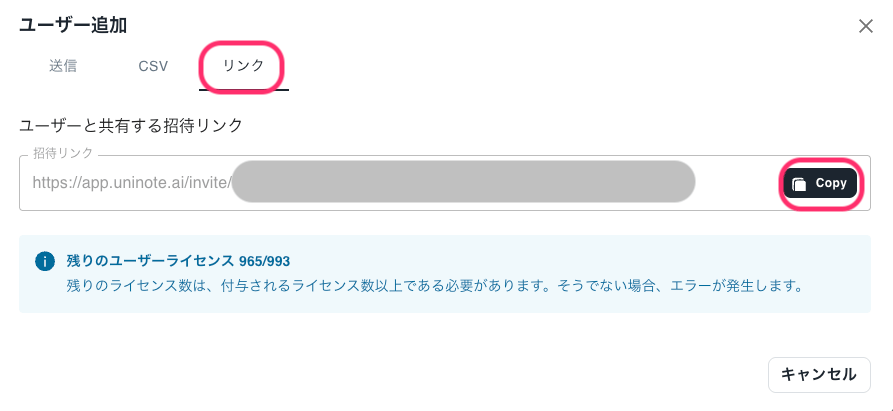
- Press [Copy] and share it with the intended recipients.
- Select [Link].
Users who join via the invitation link will have the role of member by default.
👤 For information for invited users, please refer to: How do I log in after receiving an invitation? 🔐 Related: What are the types and differences of roles (permissions)?