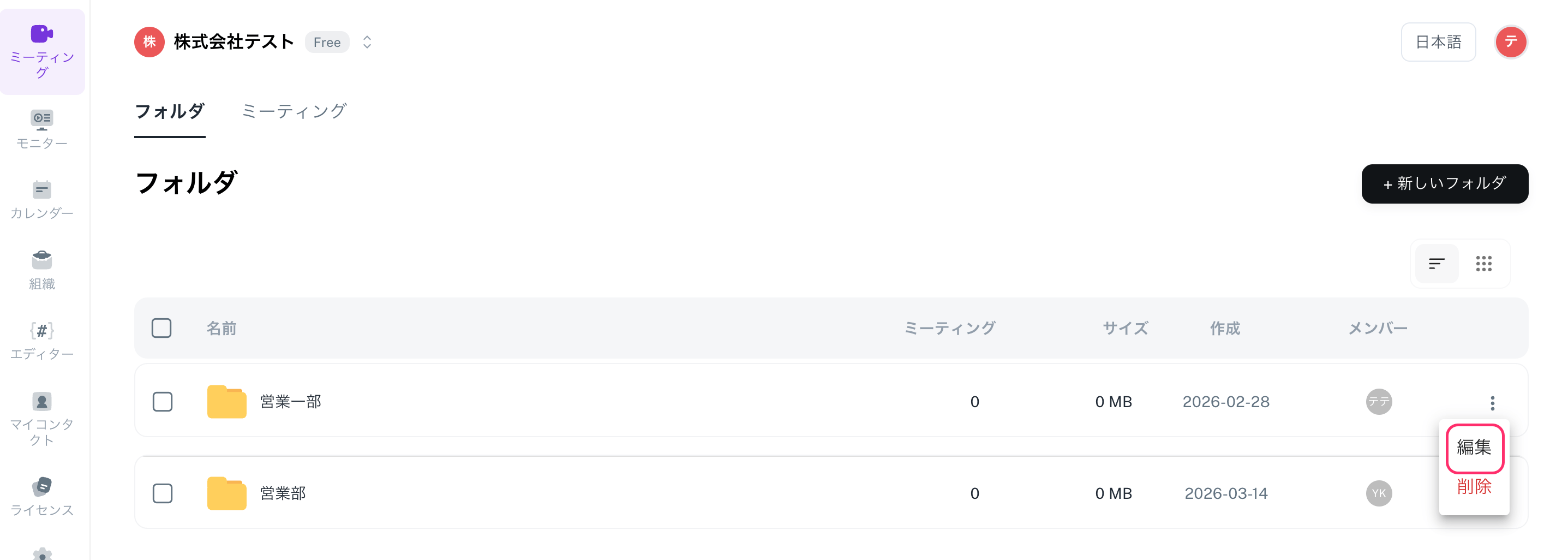

You can edit folder names and members, as well as delete unnecessary folders.
Steps: Edit a Folder
- Open the [Meetings] screen.
- Hover over the folder you want to edit and click on the […] (menu).
- Select [Edit].
- Change the folder name or the folder members and update.
Steps: Delete a Folder
- Open the [Meetings] screen.
- Hover over the folder you want to delete and click on the […] (menu).
- Select [Delete] to complete the process.